Goals

To develop a document management system from scratch to replace the legacy platform

- Enhance scalability from both a technical and UX perspective,
- Cut maintenance expenses by favoring in-house solutions,
- Implement the corporate visual language and design system,
- Improve user experience and ensure alignment with other enterprise systems.

My role

- UX/UI/Product design
- User research
- Wireframes / Prototypes
- Stakeholder management
- Design hand-off
- Reviews and docs
- Presentations
- Facilitating workshops
- Feature proposals
- Design system development
- Team consultancy

Team

- 3 key stakeholders
- Product Owner
- 3 Analysts
- UX/Product Designer
- 6-8 Developers
- 2 QA

Duration

>3,5 years

Tools

Figma, Miro, Jira, Confluence, ChatGPT, Illustrator, Kendo UI

Result

- Fully designed a system for 3,000+ legal specialists, speeding up contract management by 40% vs the legacy system,

- Built AI UX flows to parse and autofill contract data, speeding up legal clause filling and review by 80%,

- Developed reusable features for 4 other systems, cutting design time by 90% and development by 50%,

- Added full role-based customization that kept users in-system and reduced third-party tools usage and costs by ~80%,

- Designed features that improved the legal department's standing within the company and with partners.

Users

We had 2 user groups within the company interested in speeding up the processes:

~ 2000 contract managers handling deal processing,
~ 1000 specialists verifying contract legality.

Challenges

- Users were entrenched in the old system, despite its inconsistent UX and business flow. To streamline contract signing, we untangled existing processes, revamped business logic, and introduced human-centered design,
- Transitioning systems wasn't a simple switch. We navigated through multiple launch stages - MVP, alpha, beta - while integrating two systems running simultaneously.
Goals

To develop a document management system from scratch to replace the legacy platform

- Enhance scalability from both a technical and UX perspective,

- Cut maintenance expenses by favoring in-house solutions,

- Implement the corporate visual language and design system,

- Improve user experience and ensure alignment with other enterprise systems.

My role

- UX/UI/Product design
- User research
- Wireframes / Prototypes
- Stakeholder management
- Design hand-off
- Reviews and docs
- Presentations
- Facilitating workshops
- Feature proposals
- Design system development
- Team consultancy

Team

- 3 key stakeholders
- Product Owner
- 3 Analysts
- UX/Product Designer
- 6-8 Developers
- 2 QA

Tools

Figma, Miro, Jira, Confluence, ChatGPT, Illustrator, Kendo UI

Duration

>3.5 years

Tools

Figma, Miro, Jira, Confluence, ChatGPT, Illustrator, Kendo UI

Result

- Fully designed a system for 3,000+ legal specialists, speeding up contract management by 40% vs the legacy system,

- Built AI UX flows to parse and autofill contract data, speeding up legal clause filling and review by 80%,

- Developed reusable features for 4 other systems, cutting design time by 90% and development by 50%,

- Added full role-based customization that kept users in-system and reduced third-party tools usage and costs by ~80%,

- Designed features that improved the legal department's standing within the company and with partners.

Users

We had 2 user groups within the company interested in speeding up the processes:

- 2,000+ Contract Managers: Focused on high-speed deal processing and volume,

- 1,000+ Legal Specialists: Focused on precision, compliance, and legality verification.

Challenges

- Users were entrenched in the old system, despite its inconsistent UX and business flow. To streamline contract signing, we untangled existing processes, revamped business logic, and introduced human-centered design,

- Transitioning systems wasn't a simple switch. We navigated through multiple launch stages - MVP, alpha, beta - while integrating two systems running simultaneously.
Show design process

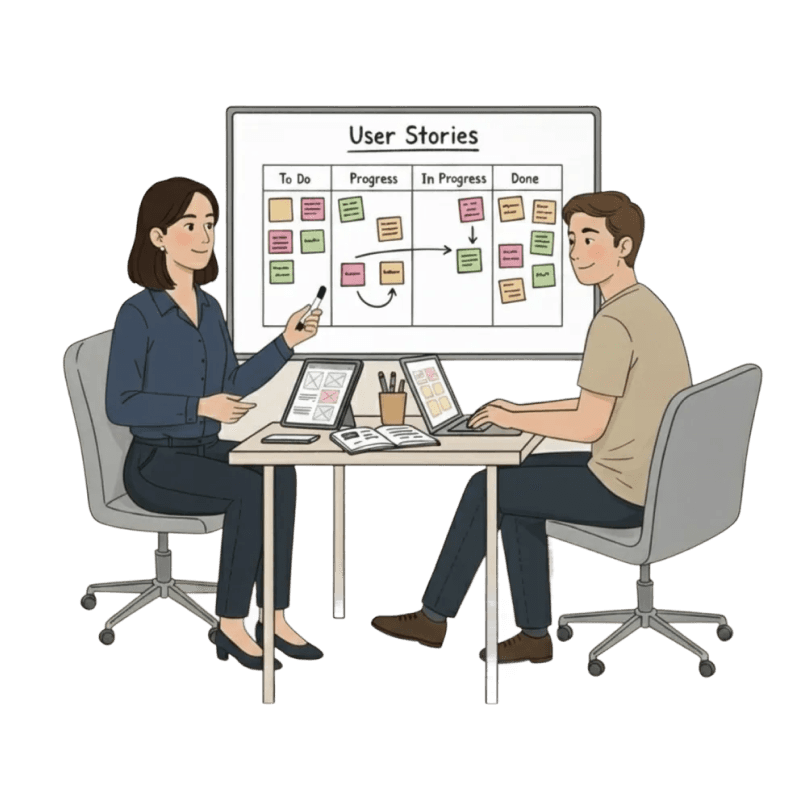
Task

It can come from:

Client
Big conceptual undefined requests.

Product Owner
User stories that need analysis, targeted on business needs.

Myself
Features and tunings to improve UX of final users.

Tasks can be:

Simple
You just do it. All the other team knows exactly how to do it.

Complex
Nobody knows what the result will be, me included. These 30% of tasks - fuel for number of ideation workshops, analysis, iteration, user research and hours of discussions.

Draft & users

If task is "simple", I have two checks of wireframes:

With Product Owner
If design answered business requirements.

With developers
If we can simplify design (without losing in UX) to speed up time to market.

If task is "complex", plus to those two I also have:

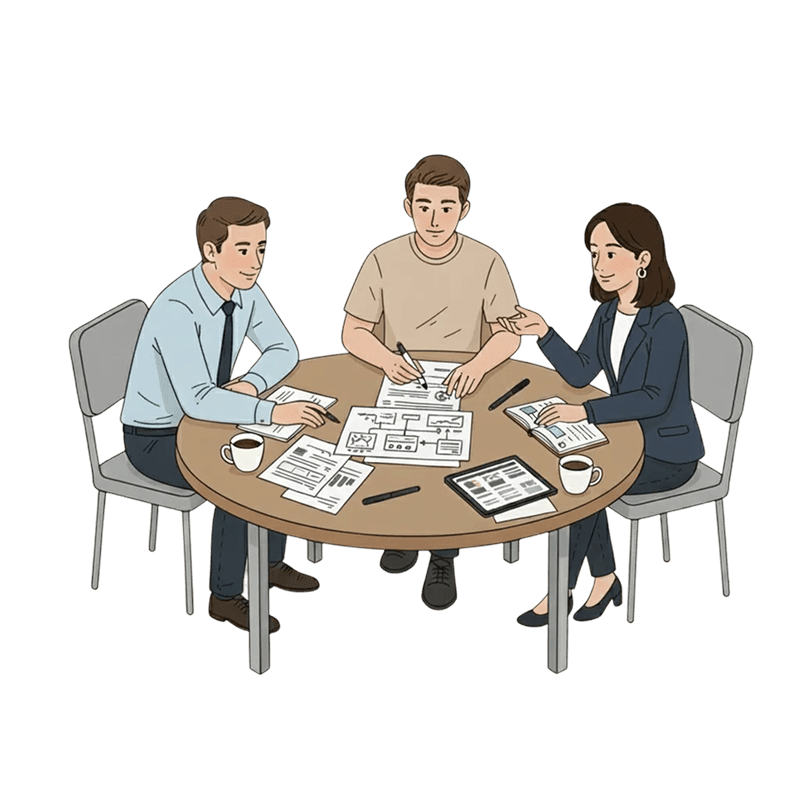
Brainstorm session with client
Sometimes it about them reinventing the whole business process. Sometimes it me to guide them into the right direction.

User interviews
30-minutes calls with users where they perform some tasks on clickable prototype. Depends on my hypothesis proven or rejected, the Draft stage can have another iteration.

UI & hand-off

90% of time
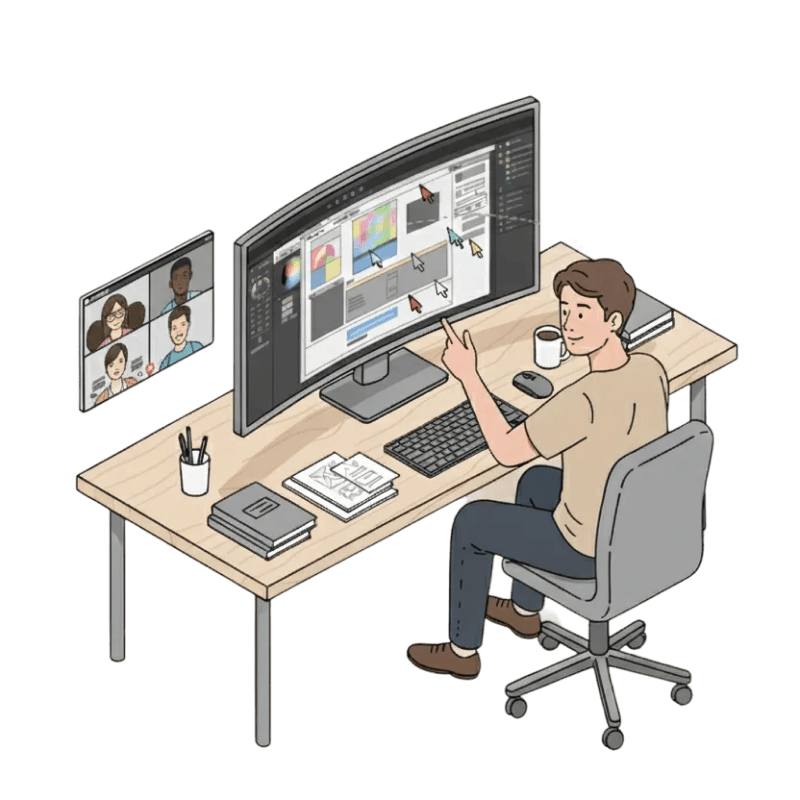
I work with predefined design systems. So I build the entire UI from its components.

10% of time -
some unique solutions where discussion with developers is needed.

After we discussed the final design with the team, I prepare mockups (flows, comments, documentation if needed).

When someone starts to work on this task in sprint they invite me on the tasks kick-off, where we check everything we need to do.

After the task is ready, I have a design review during the task demo or myself on the dev stage.

Release

As I work in-house, I have control on what happens after the release.

If feedback is negative and prioritized, I analys it it and go on the next iteration of design.

If feedback is positive, I can propose that new feature/pattern/flow for another product in our ecosystem. Yes, I test design innovations on selected products before the whole-ecosystem implementation.

Show design process

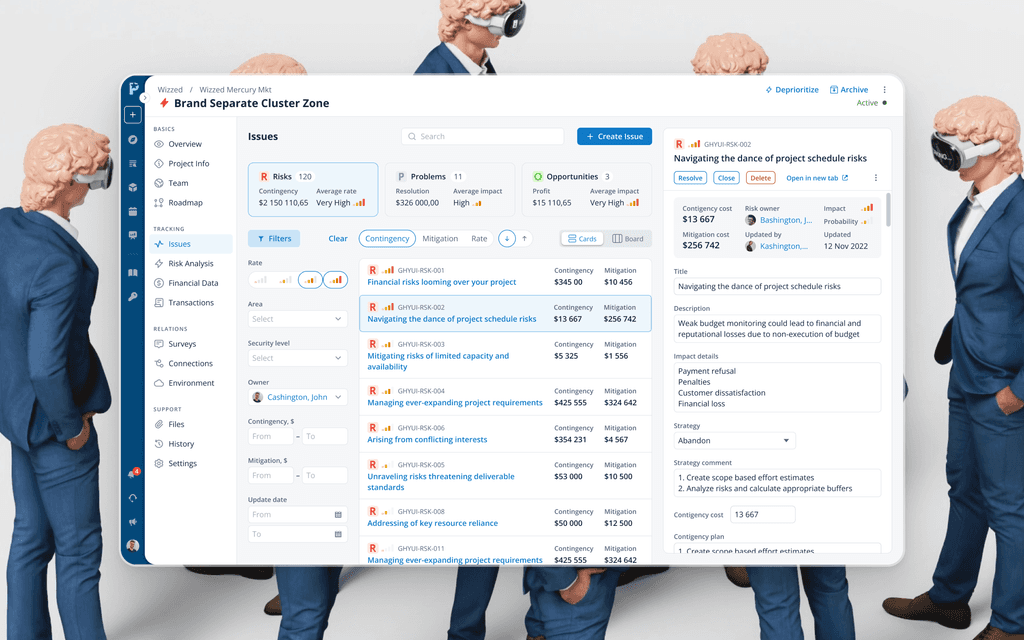
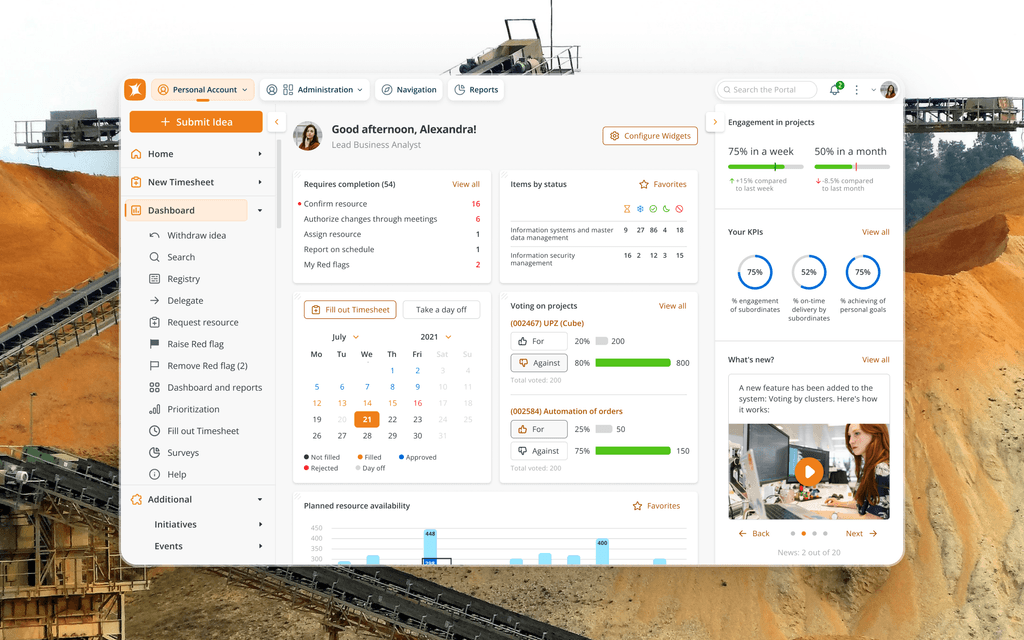
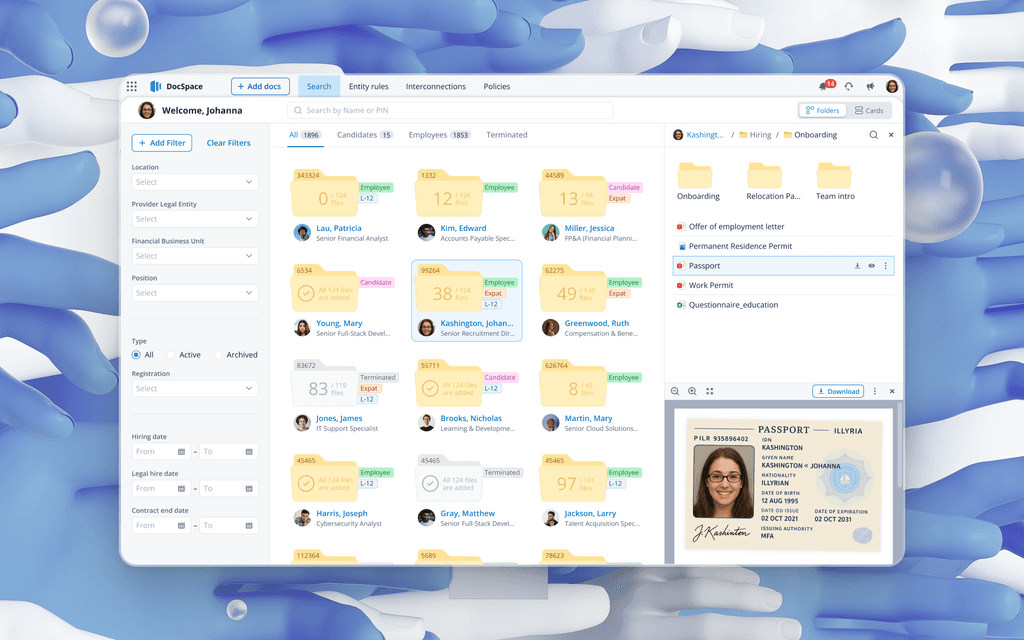
Interesting highlights from 3.5+ years of designing this system

Not your usual case study, but short stories and insides.
Altered visuals and limited details to comply with the NDA.
The core idea remains.

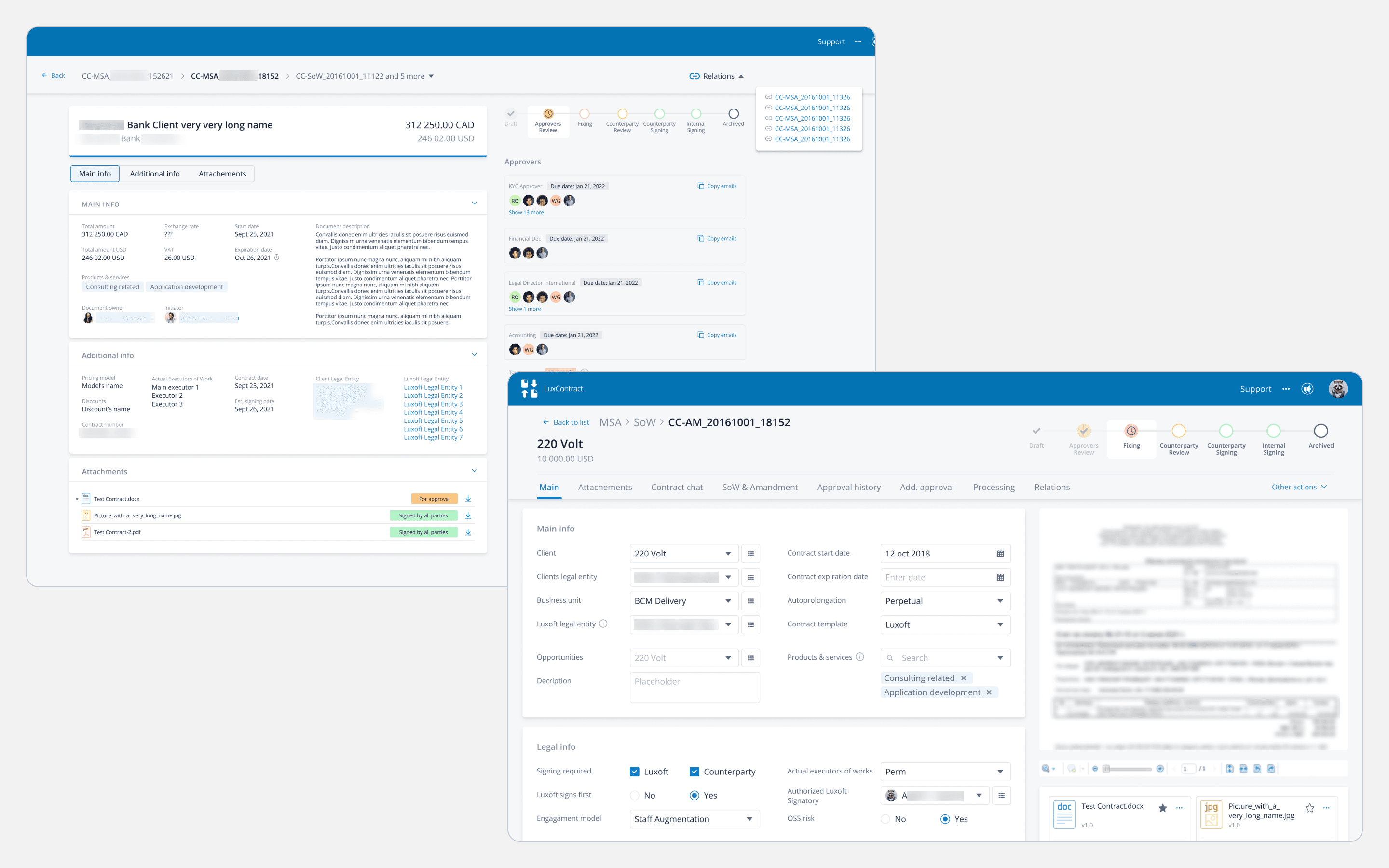
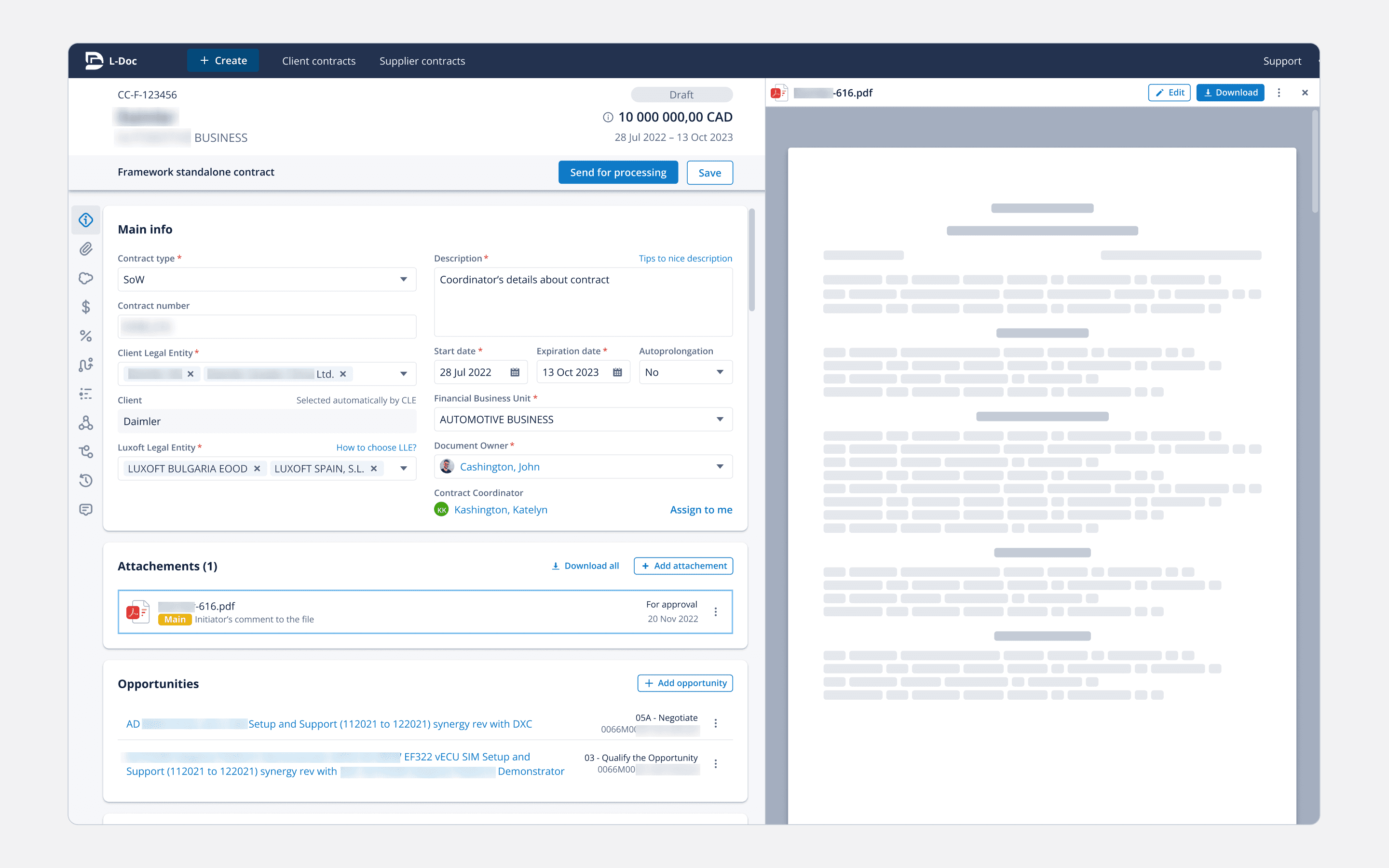
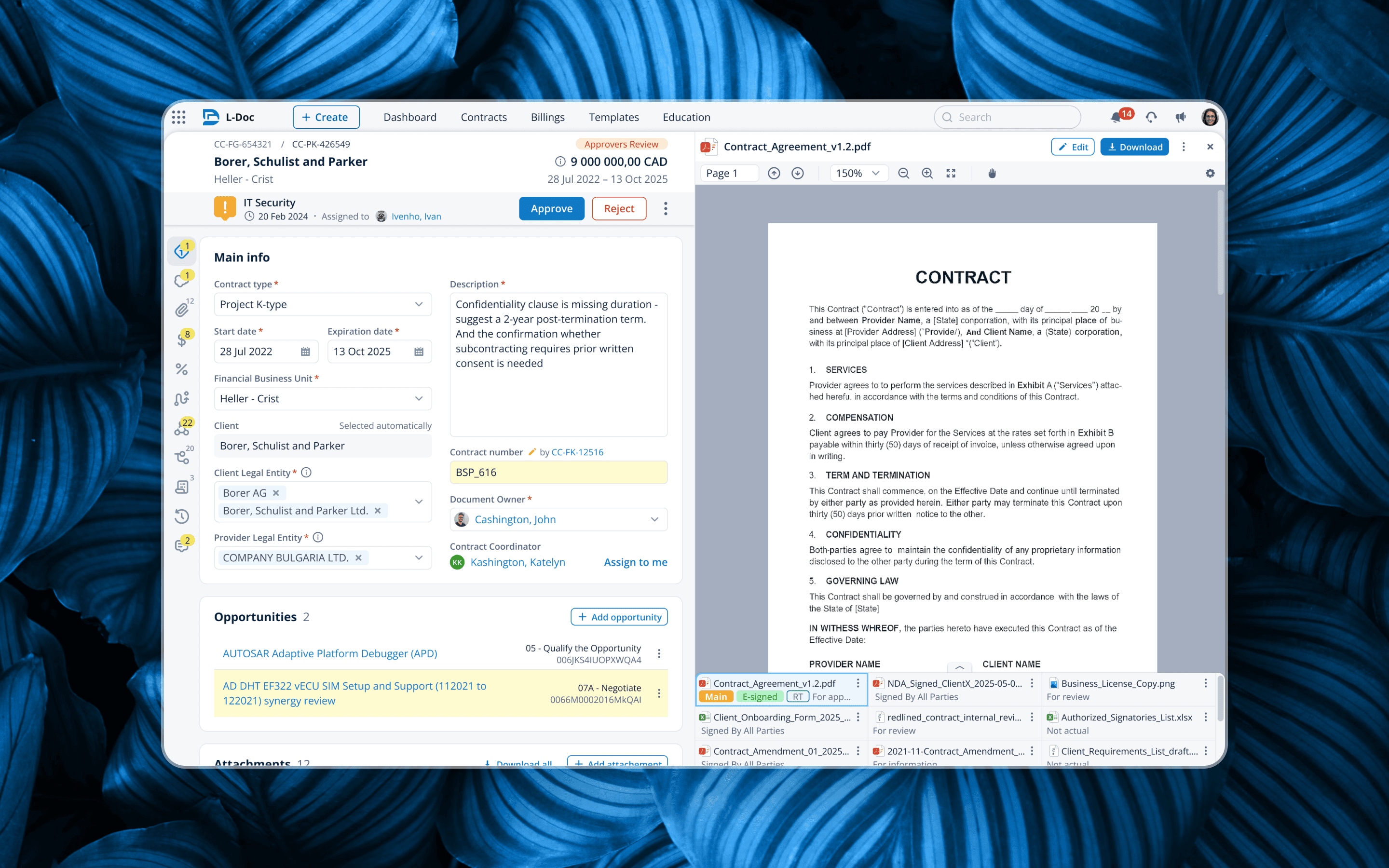
The starting point was the contract card - the core entity of the doc-management system. It stored everything: client details, attachments, relations, connections, fin data. The problem was that for years it had been within an almost non-customizable out-of-the-box system, forcing the business to bend its workflow around what the legacy tool allowed.

This is where I came in - very early on. The first product roadmap was still being drafted and the direction wasn't decided yet. The only certainty was that the new system would be fully self-developed, so I explored how editable and view-only contract modes could work.

View-only may look insane, but the MVP targeted only ~10% of users. In the old system they mostly checked data and left comments. What did that mean for design and dev? No need for dozens of component states - just a basic UI kit.

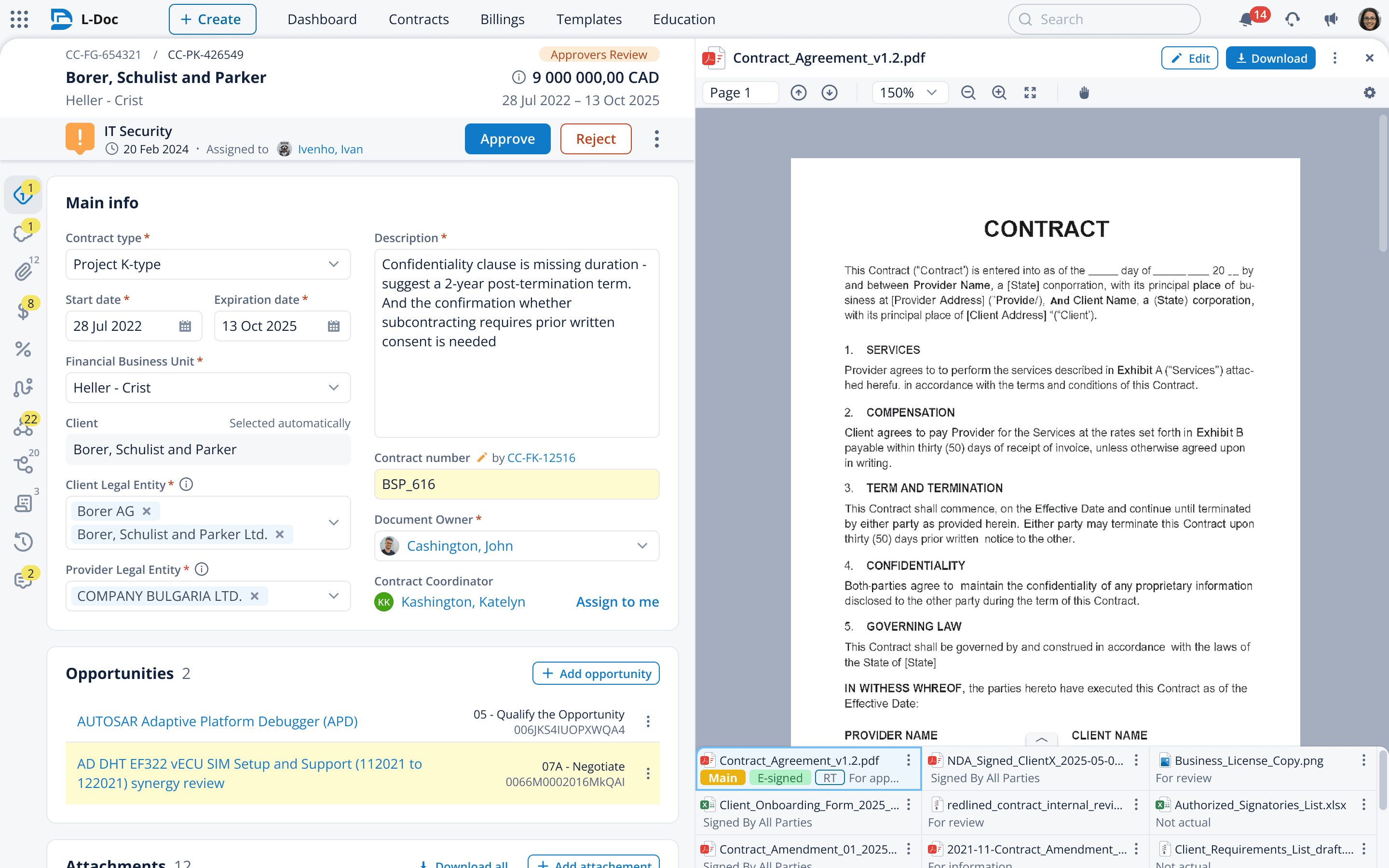
Flash forward ~1.5 years: three view-only iterations, dozens of usability tests, the first version of the design system - and we shipped editable contract cards. Still, they covered only 50-60% of users. The rest remained in the legacy system, so I had to support UX workarounds for a two-system workflow.

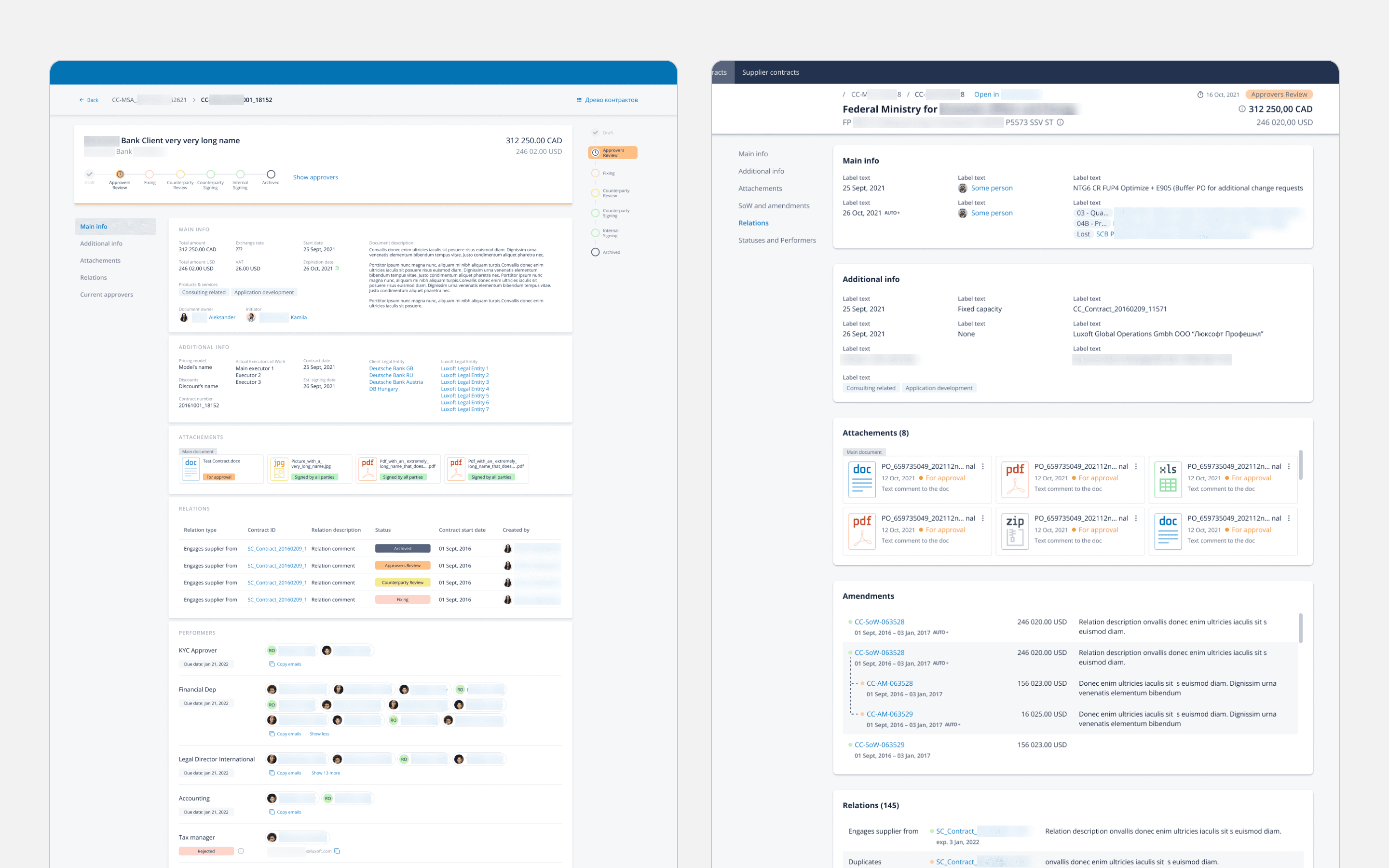
Here's what I'd call the ultimate state of the contract card. We migrated 100% of users and they finally received functionality they "could not dream about before" (it's a quote).

Role-based UI (sections and highlights changed depending on the business role). Navigation (icons on the left) turned into a micro-dashboard. Files became inline-editable. And step by step we kept improving UI and UX patterns with the new design system developed by me and my team.

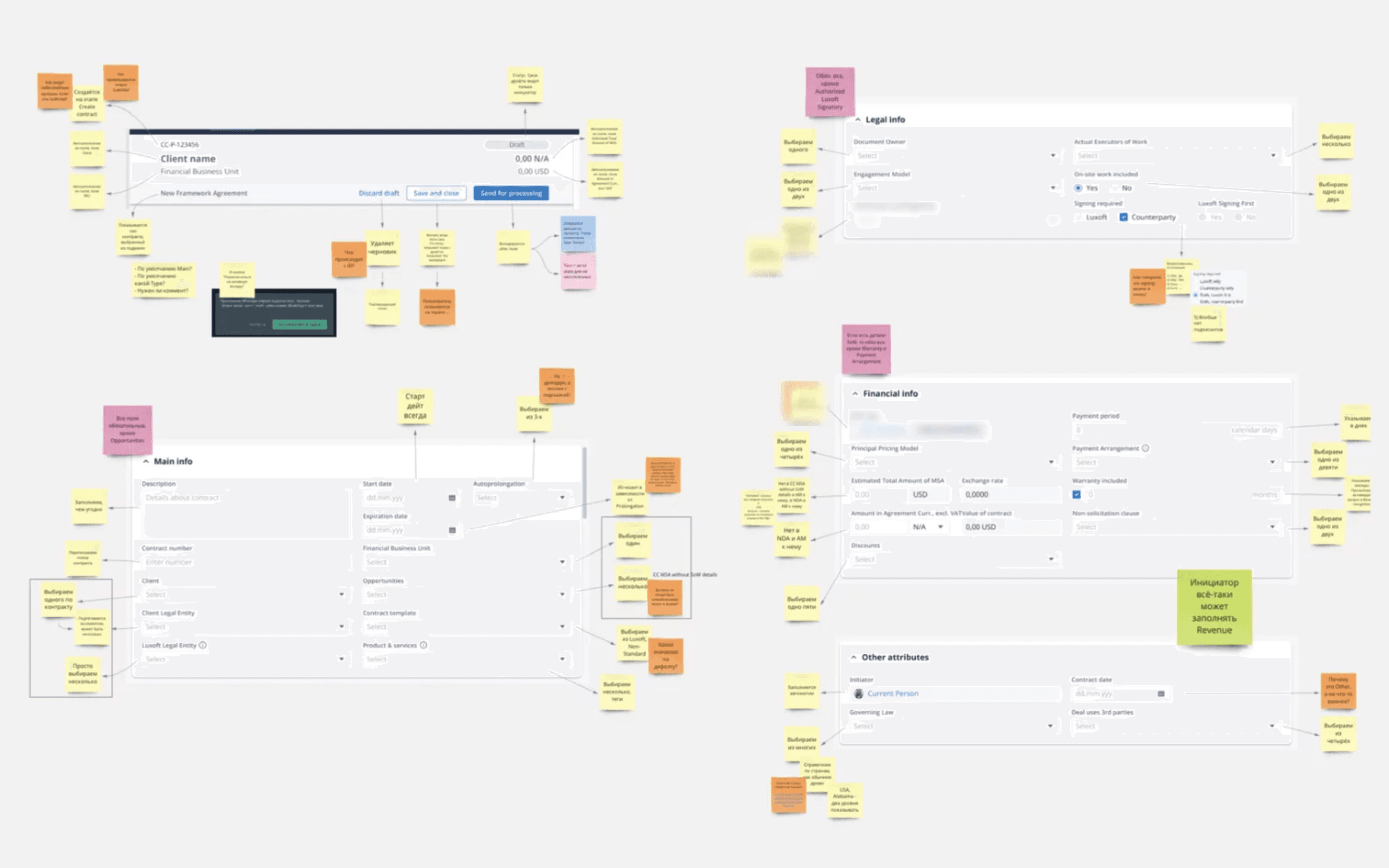
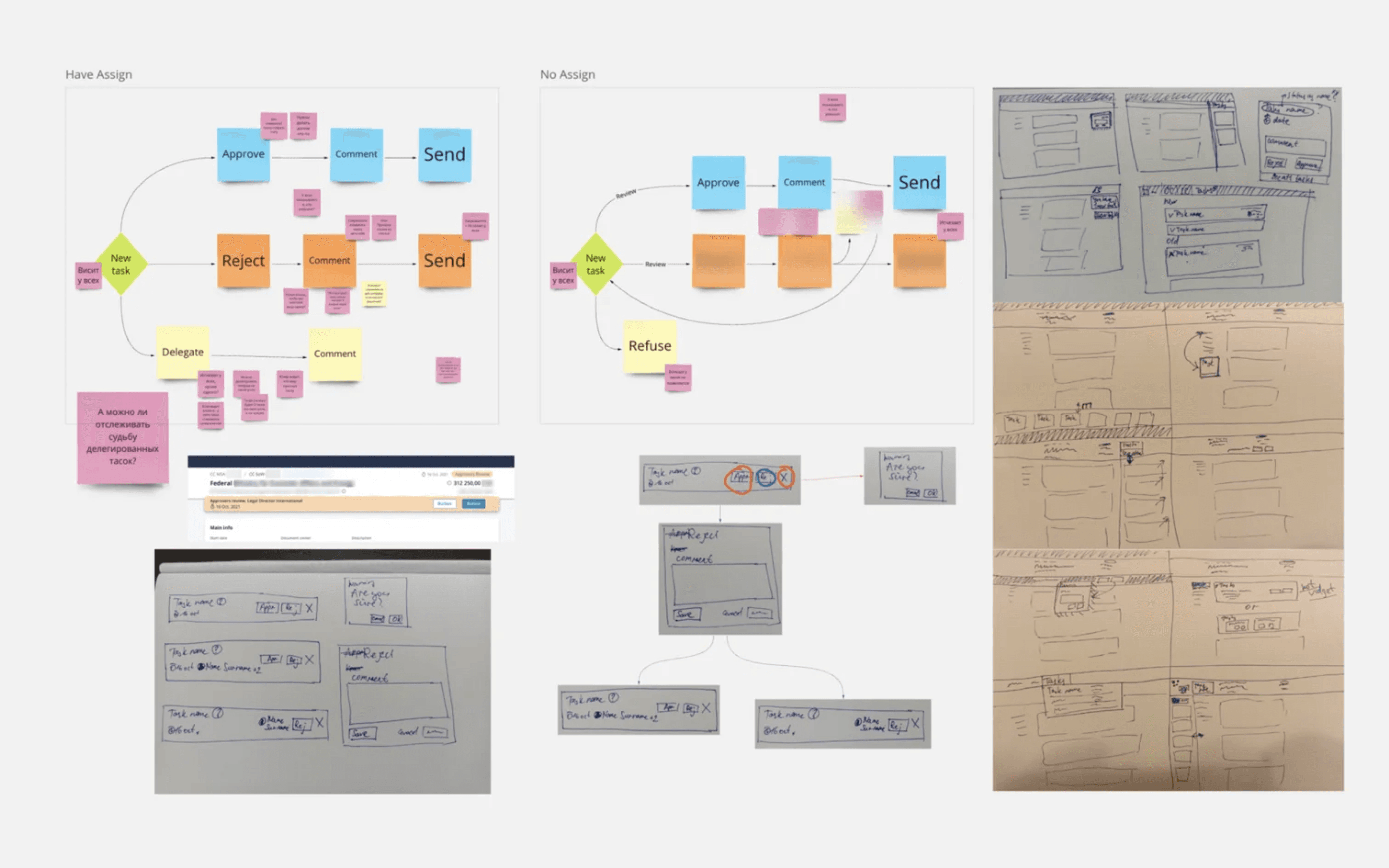
I've talked results and mockups, but what about analysis? Typical process: Miro, stickers, flows; inputs from business, user feedback, hypotheses; me alone or with an analyst. Lots of comments and sketching, digital or by hand. Even if the solution works, there are still N ways to implement it in the UI.

Pro tip: I often reuse variants in future designs. It saves time and keeps UX patterns consistent over the years.

40%

in speeding up contract management for 3,000+ legal specialists vs the legacy system

80%

increse of speed for a legal clause filling and review after designing AI UX flows

40%

in speeding up contract management for 3,000+ legal specialists vs the legacy system

80%

increse of speed for a legal clause filling and review after designing AI UX flows

Let's move on! The second core functionality of the doc system is high-level management of the contract list - yours, your team’s, your legal entity's - any configuration is possible.

But in the legacy platform, you only had a few filters and two-way sorting. Not good enough for Luxoft with its 400+ clients across 30+ countries and entities.

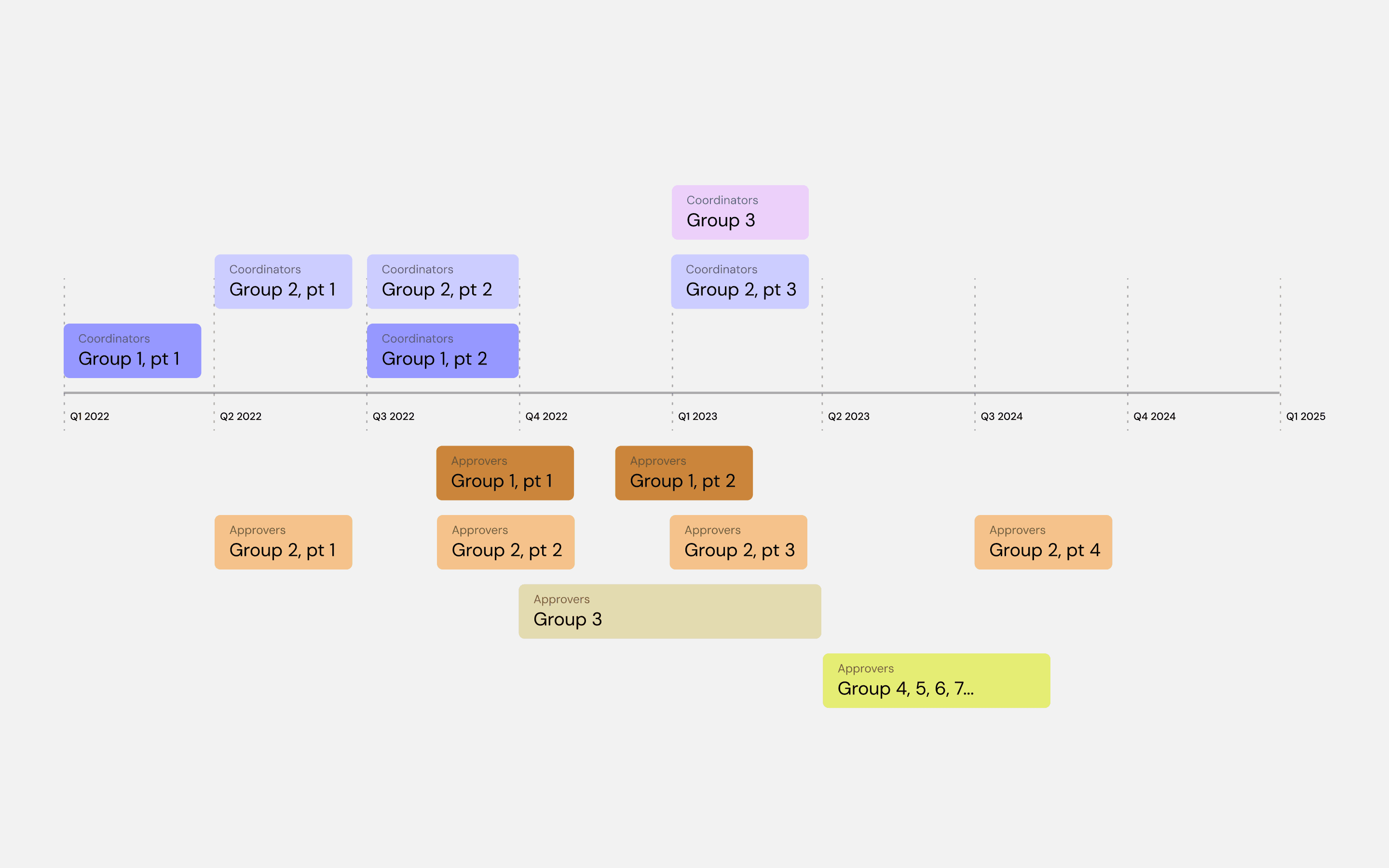
With 20+ user roles (personas, if you will), each has specific needs: "I need these filters, not that," "I don't need the task bar, but the reports". So, we have a roadmap of Who and When we let in the system.

Design-wise, I knew the desired feature state and the order to reach it (A, B, C, D). Reality often forced a different sequence (B, F, A, W), so I "simply" planned alternative design release paths to ensure users could still reach their goals.

Some of my suggestions were really good, just not for this phase. Couple of years later, when the product was near-final, it was time to bring back all the "old ideas".

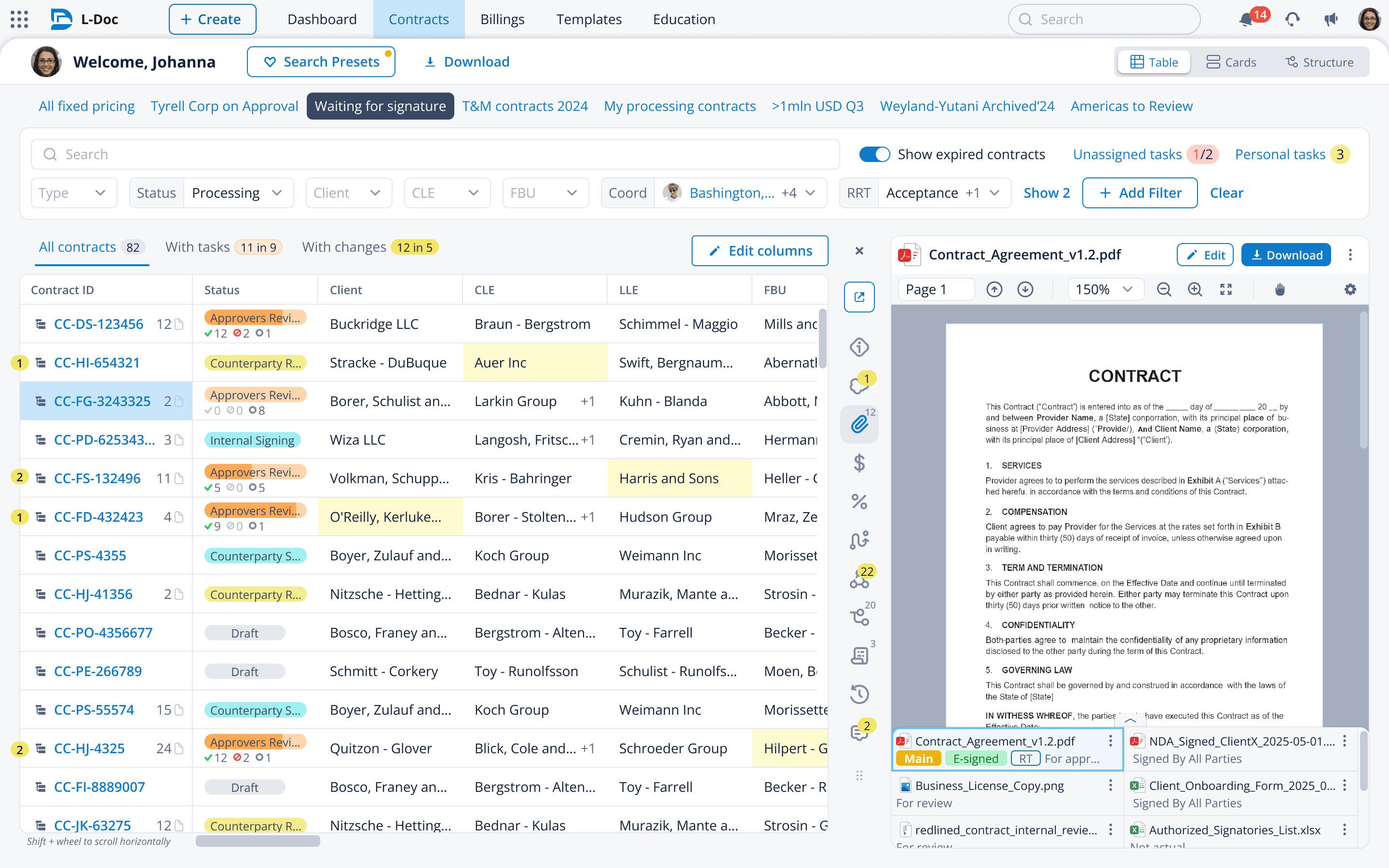
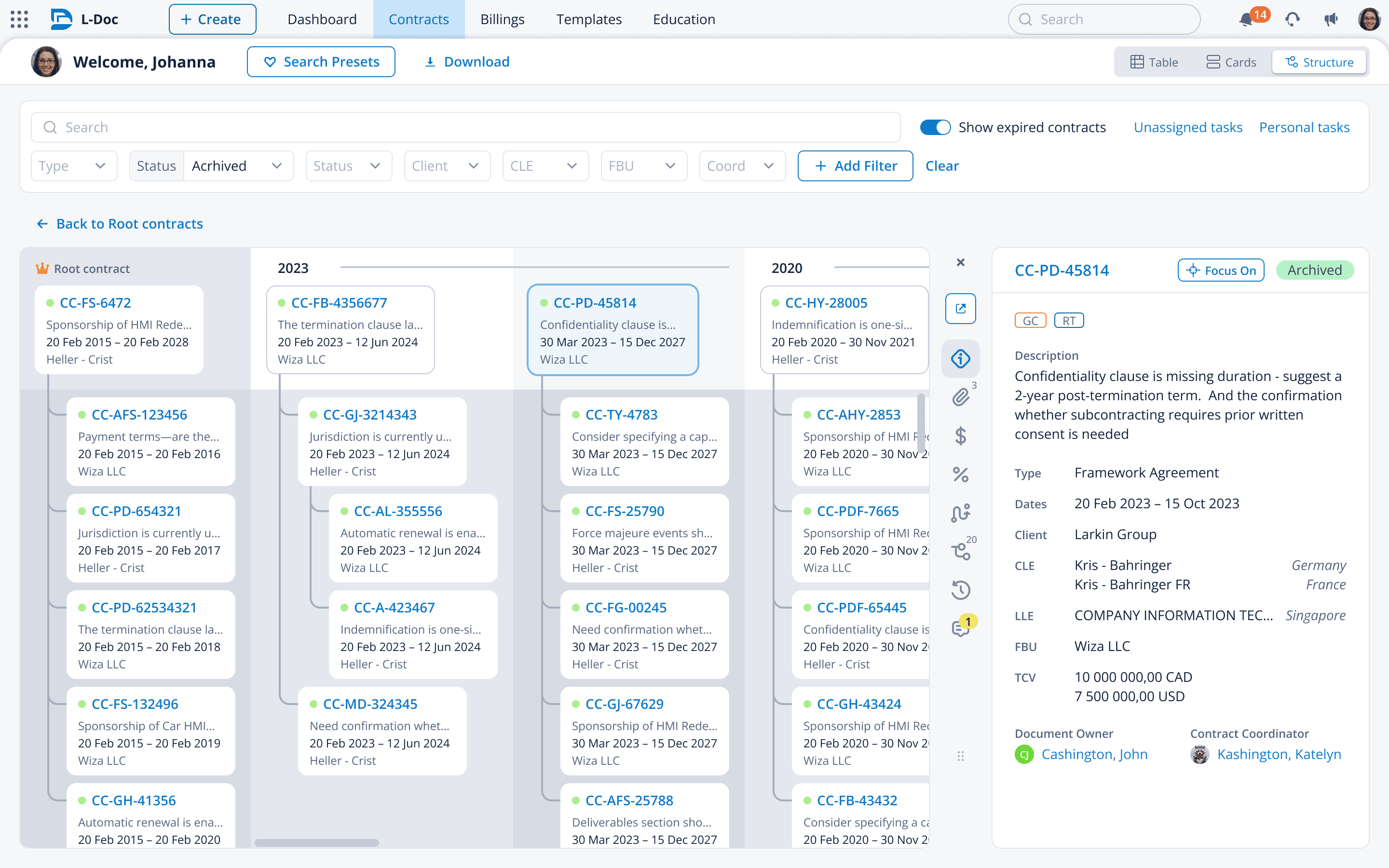
These ideas turned a clunky table into an enterprise-level cockpit for legal specialists, customizable for each role and goal. My priority at that time was reducing users' time and physical movements when switching between browser tabs.

With 60+ smart filters, search presets (yes, you could save entire screen configurations, not just filters), inline notifications, and configurable highlights (you could choose what to highlight and how) - with all these and many more unique features, contract management had never been so manageable.

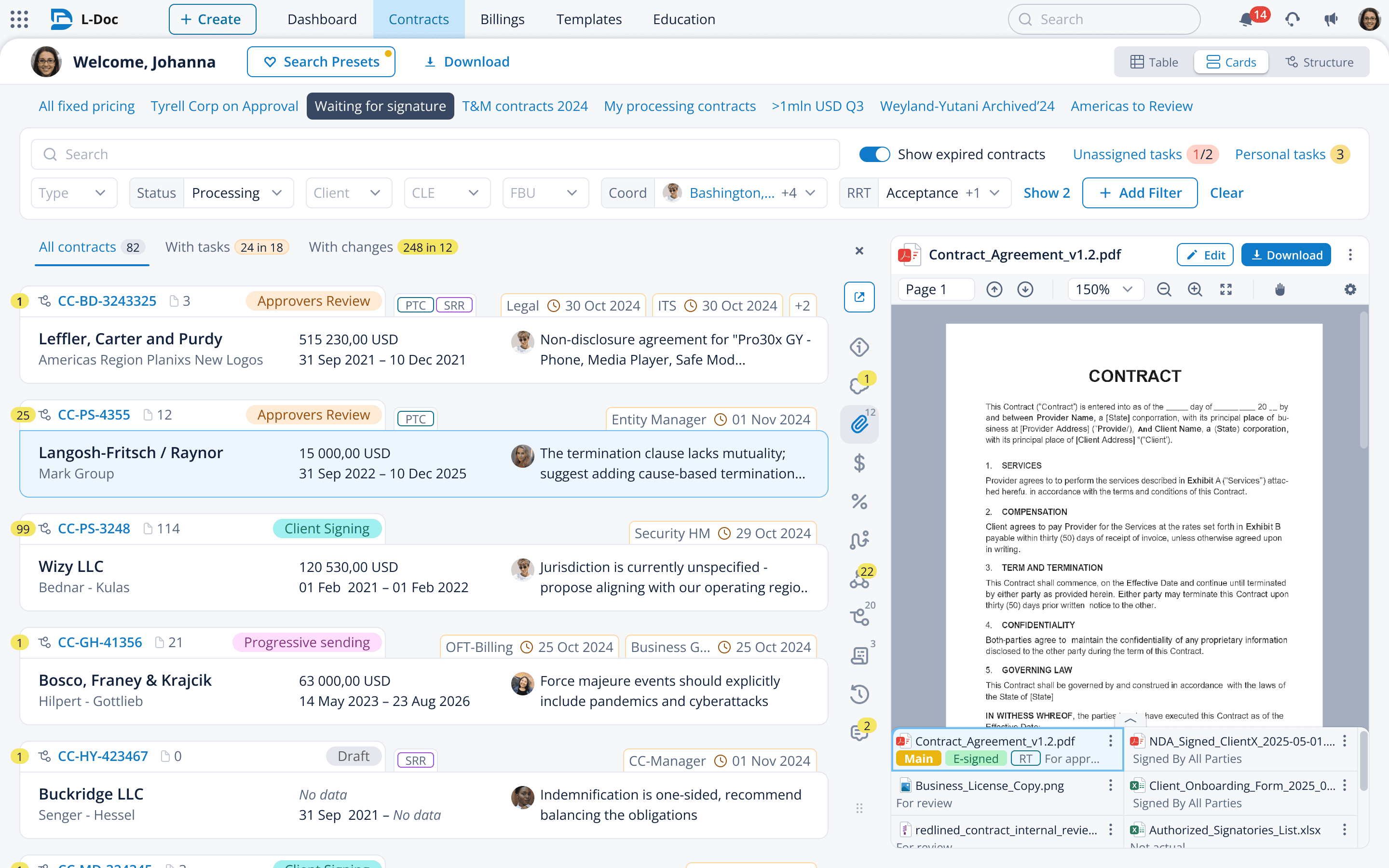
The second visualization mode was card-like. I actually designed it first for view-only users with a fixed amount of information they needed. Over the years, I improved it for them, and it's still here. Users can disable all indications and later UI features. Let's call it a "simple mode".

Feedback from colleagues

To comply with GDPR, this website does not collect or store any personal data. Сlick on LinkedIn icon to see the person in real

To comply with GDPR, this website does not collect or store any personal data. Сlick on LinkedIn icon to see the person in real

<...> Vlad worked closely with developers and stakeholders, understood business needs, and turned them into clear, practical solutions. He actively responded to feedback and always considered technical constraints without sacrificing design quality. Vlad is a designer you can trust with a complex product. He thinks systemically, works consistently, and helps build scalable, thoughtful solutions.<...>

Senior Frontend Developer

We worked on this product together for 3 years

<...> Vlad worked closely with developers and stakeholders, understood business needs, and turned them into clear, practical solutions. He actively responded to feedback and always considered technical constraints without sacrificing design quality. Vlad is a designer you can trust with a complex product. He thinks systemically, works consistently, and helps build scalable, thoughtful solutions.<...>

Senior Frontend Developer

We worked on this product together for 3 years

Vlad is a reliable, self-confident and efficient profi in UX/UI design and meanwhile a team-player that is very important. I can discuss with him all concerns regarding feature realization or criticise sometimes and he do not hesitate to dive deeper if needed, to offer different solutions that is really important in agile team. He showed himself as both easy-going person and professional with his own opinion.

Lead System Analyst / Product Owner

Working on this system together since 2023

Vlad is a reliable, self-confident and efficient profi in UX/UI design and meanwhile a team-player that is very important. I can discuss with him all concerns regarding feature realization or criticise sometimes and he do not hesitate to dive deeper if needed, to offer different solutions that is really important in agile team. He showed himself as both easy-going person and professional with his own opinion.

Lead System Analyst / Product Owner

Working on this system together since 2023

<...> Beyond his technical expertise, Vlad's commitment to fostering a supportive and collaborative team environment truly sets him apart. He readily shares his knowledge, provides valuable feedback and consistently inspires those around him to do their best. His commitment to excellence and his role as a trusted Design Partner have been essential to our collective success. <...>

Senior UX/Product Designer

Design team fellow, 3+ years of reviewing each other

<...> Beyond his technical expertise, Vlad's commitment to fostering a supportive and collaborative team environment truly sets him apart. He readily shares his knowledge, provides valuable feedback and consistently inspires those around him to do their best. His commitment to excellence and his role as a trusted Design Partner have been essential to our collective success. <...>

Senior UX/Product Designer

Design team fellow, 3+ years of reviewing each other

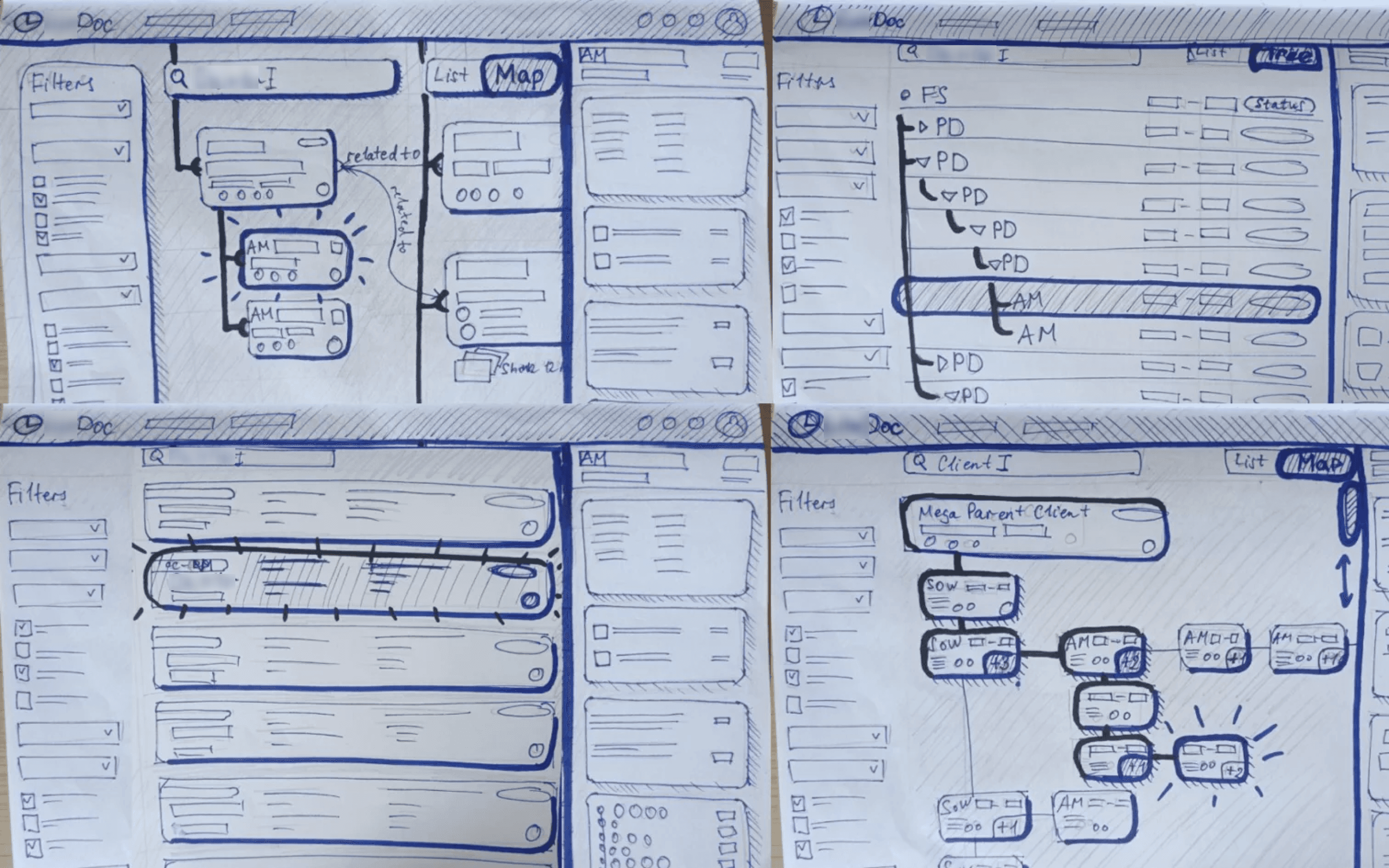
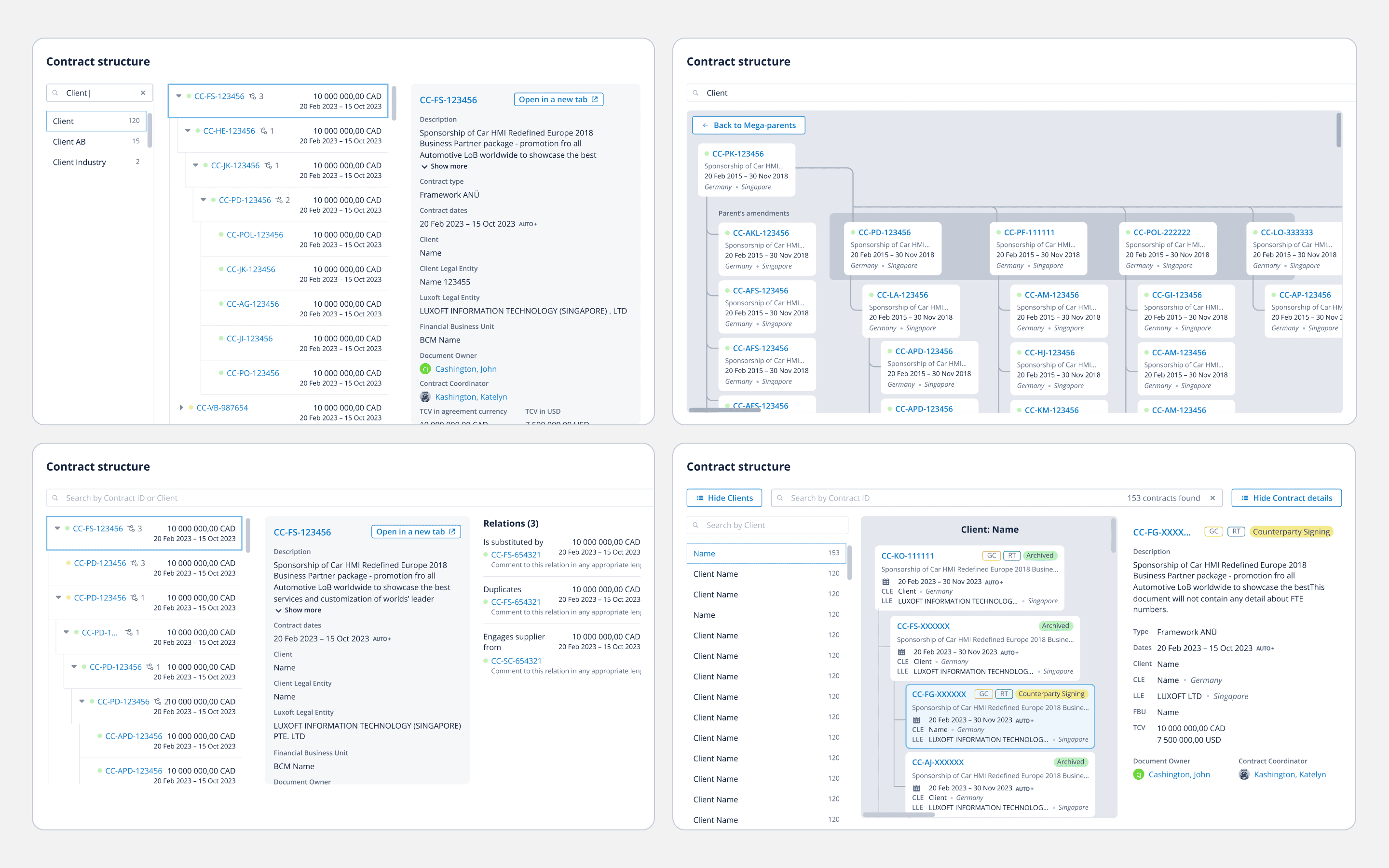
Third mode. Imagine you're a Lead Legal Manager who must oversee all interconnections between contracts over the last 10 years and all clients you've ever signed. Previously, you could draw it on paper or maintain a massive spreadsheet.

Now you have a native visualization instead. With such a unique built-in tool, the system becomes the ultimate legal workstation. This is what I mean in my CV by "removing dependencies on third-party tools".

Shown here: sketches with stakeholders → scenario concepts → testable prototypes.

Everyone keeps saying "gather business requirements". But what if the business finally has the chance to build a process from scratch and has zero requirements - only raw ideas? In this case, I as a designer navigate it through opportunities. We’ve shipped things that were previously considered impossible only after the business saw a "beautiful design" of mine that inspired them to rethink how their processes could be organized.

Third mode. Imagine you're a Lead Legal Manager who must oversee all interconnections between contracts over the last 10 years and all clients you've ever signed. Previously, you could draw it on paper or maintain a massive spreadsheet.

Now you have a native visualization instead. With such a unique built-in tool, the system becomes the ultimate legal workstation. This is what I mean in my CV by "removing dependencies on third-party tools".

Shown here: sketches with stakeholders → scenario concepts → testable prototypes.

Everyone keeps saying "gather business requirements". But what if the business finally has the chance to build a process from scratch and has zero requirements - only raw ideas? In this case, I as a designer navigate it through opportunities. We’ve shipped things that were previously considered impossible only after the business saw a "beautiful design" of mine that inspired them to rethink how their processes could be organized.

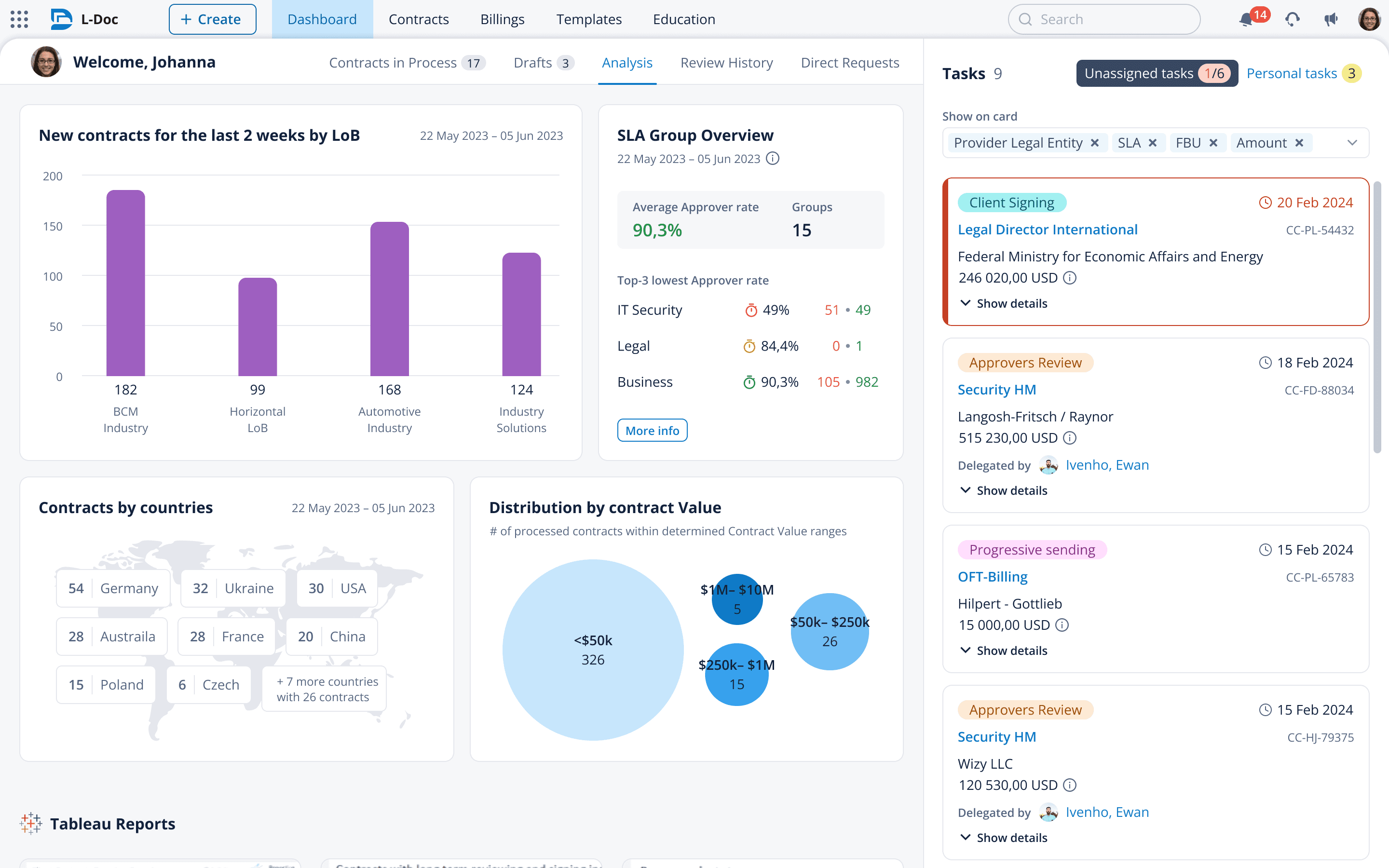
I also designed a usual dashboard - for users who only need a helicopter view of the current state. No more, no less. The legacy system had it too, but it was just another set of tables with no real need for that much information.

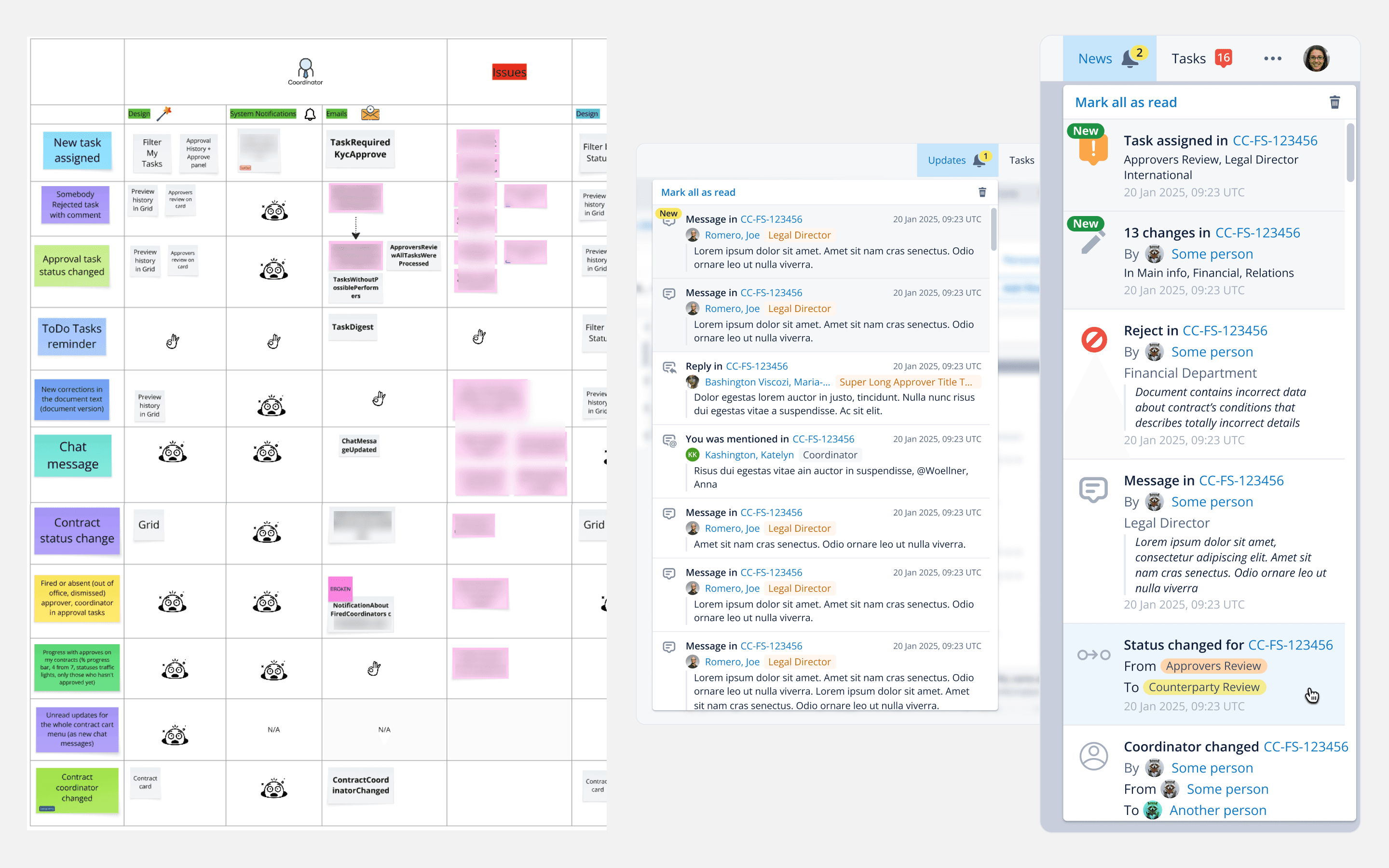
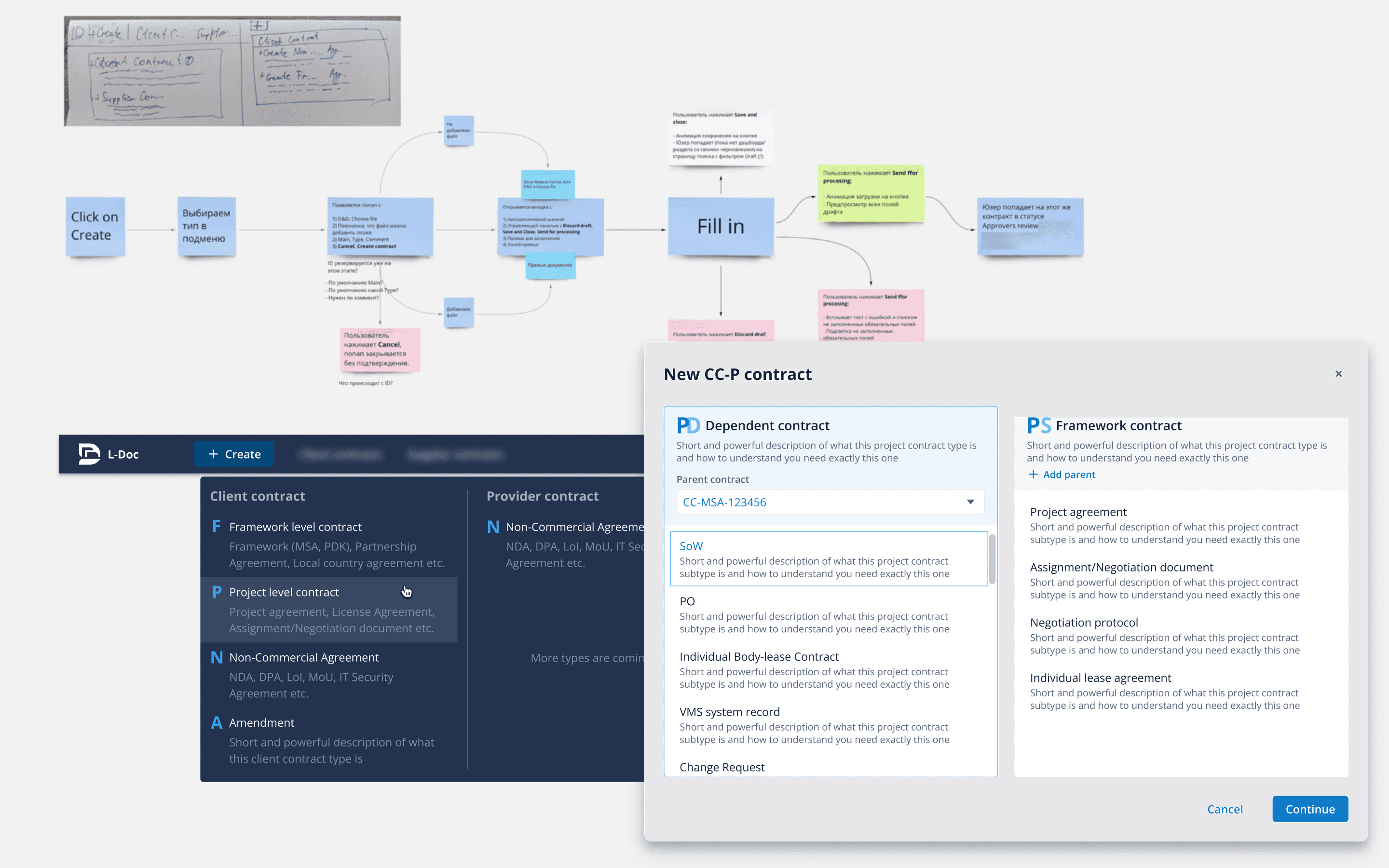
A good example: I never work alone on business logic-heavy research tasks. The Miro screenshot shows how the analyst and I deconstructed requests collected over the years. Almost all of them every could be built within Notifications/Newsfeed features. Some were designed and released in one way or another.

I also designed a usual dashboard - for users who only need a helicopter view of the current state. No more, no less. The legacy system had it too, but it was just another set of tables with no real need for that much information.

A good example: I never work alone on business logic-heavy research tasks. The Miro screenshot shows how the analyst and I deconstructed requests collected over the years. Almost all of them every could be built within Notifications/Newsfeed features. Some were designed and released in one way or another.

80%

third-party tool usage and costs reduced by 80% after launching full role-based customization

90%, 50%

time for design and development time respectfully reduced, after designing re-usable features for the local ecosystem

80%

third-party tool usage and costs reduced by 80% after launching full role-based customization

90%, 50%

time for design and development time respectfully reduced, after designing re-usable features for the local ecosystem

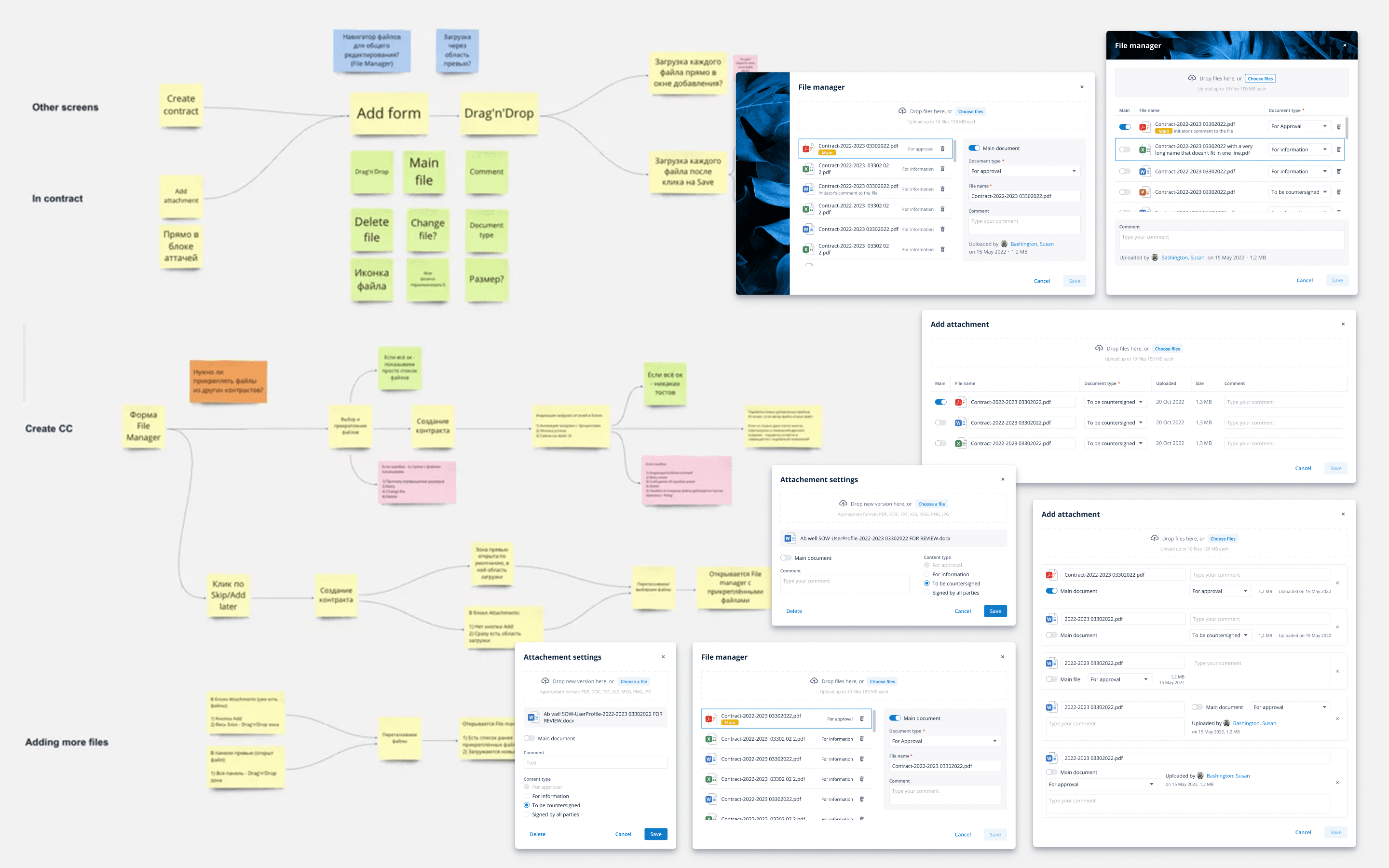
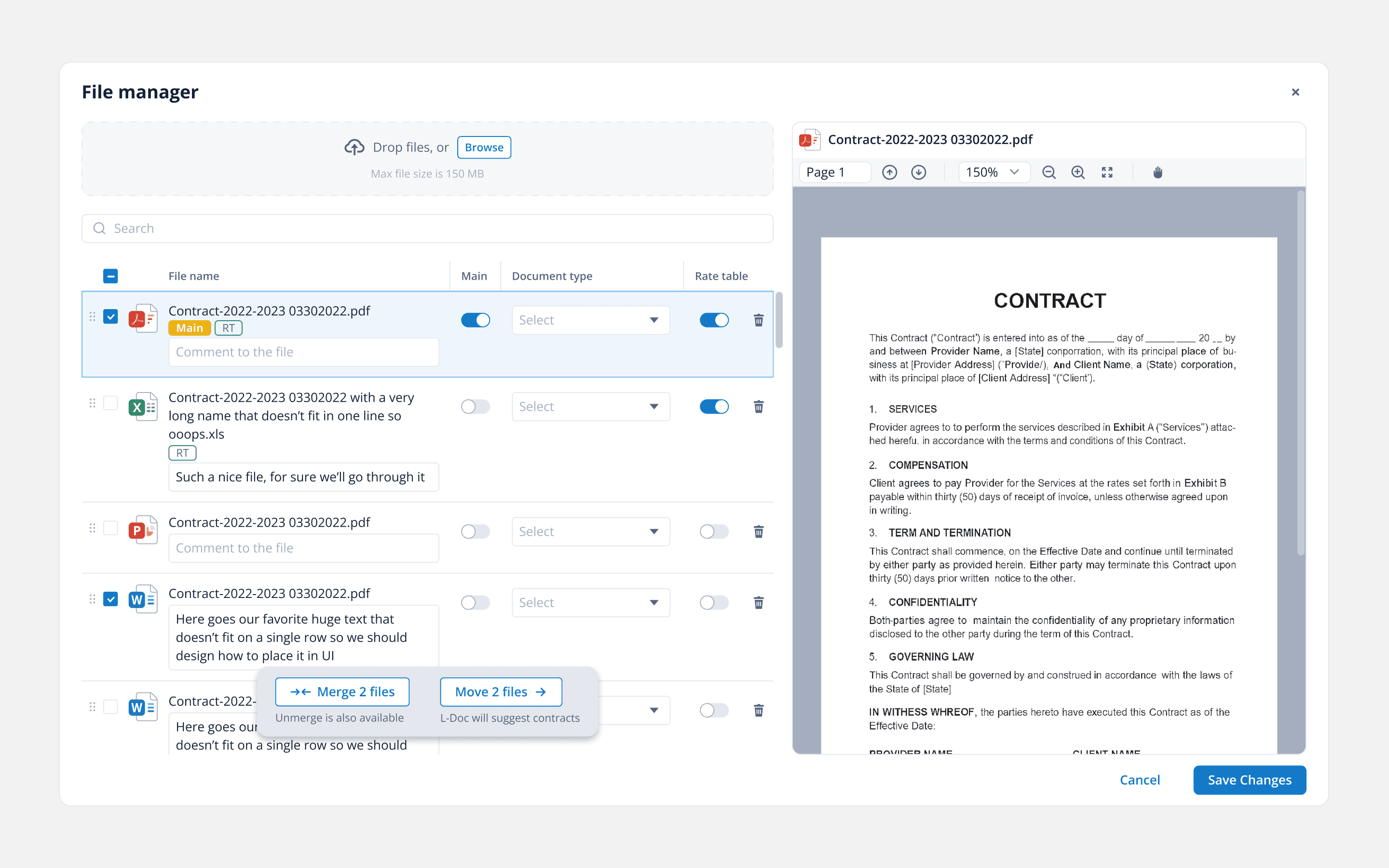
What really is the dark horse of the doc-management system is the file uploader. We've all seen it thousands of times everywhere, right? But the flows for legal specialists are a bit different. The screenshots show just a part of it, the 'upload' step itself. Before and after uploading, you might need to perform additional actions as well.

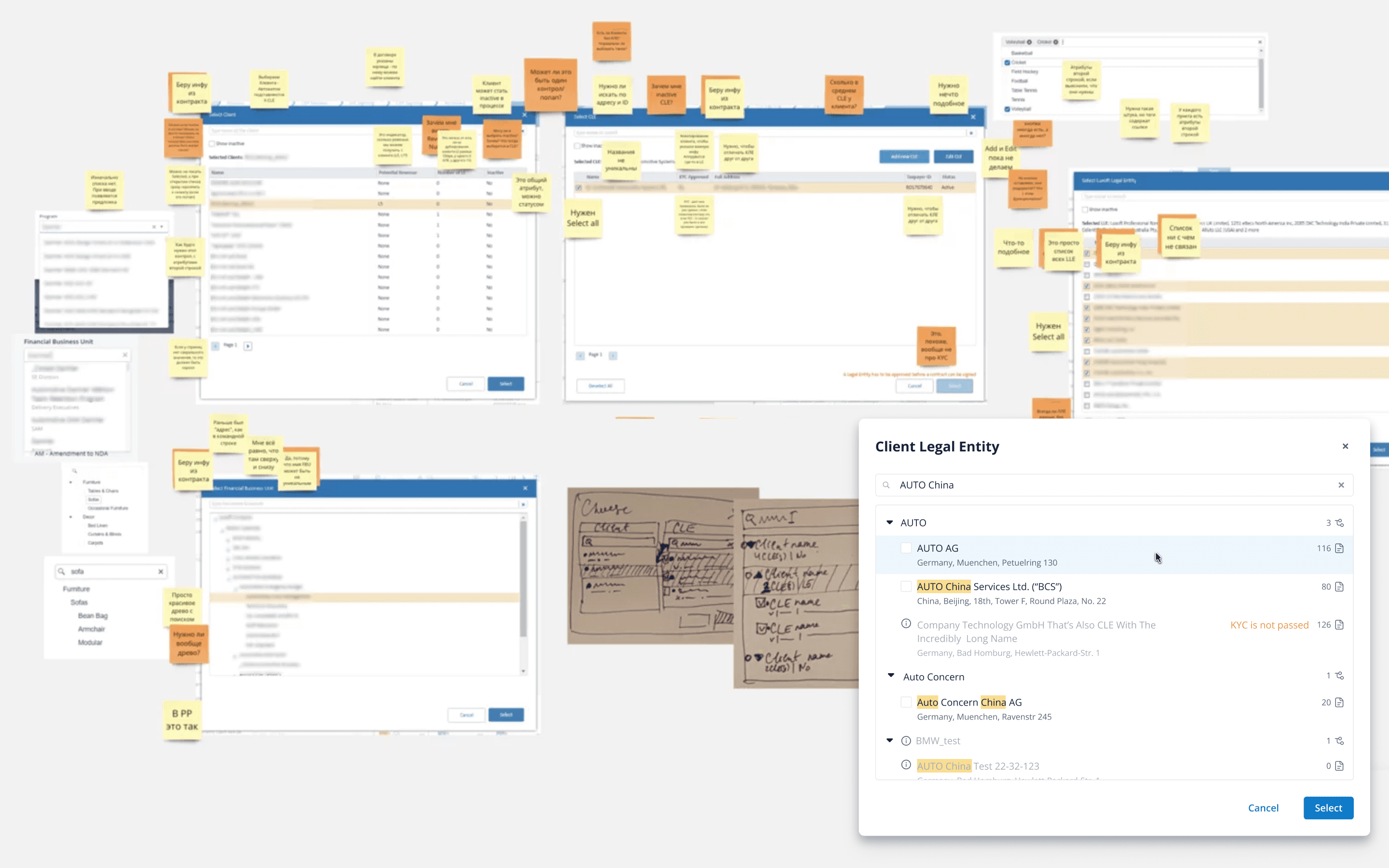
I’ll talk about the research phase again. I studied the legacy system's UI and UX carefully. I needed to verify whether a status existed in the UI "just because" - in which case I could remove it - or whether something exists due to international legal guidelines or other legal tools' standards. This approach allowed me to preserve crucial patterns while improving what could be safely improved, without harming users' habits or requiring reeducation.

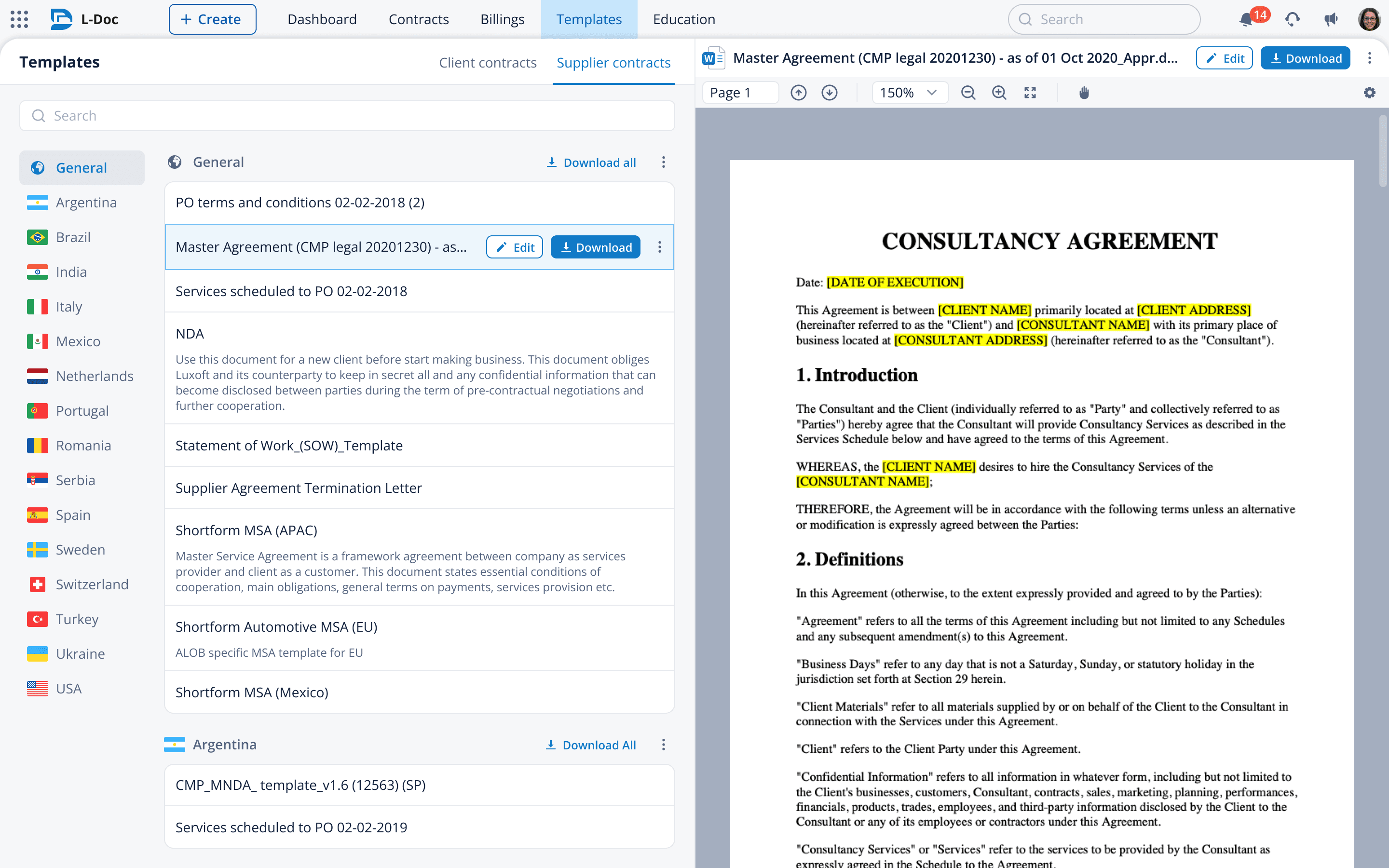
All three pics show different functionalities, but they all convey the same message:

Save your user time for the really important things

I’ll talk about the research phase again. I studied the legacy system's UI and UX carefully. I needed to verify whether a status existed in the UI "just because" - in which case I could remove it - or whether something exists due to international legal guidelines or other legal tools' standards. This approach allowed me to preserve crucial patterns while improving what could be safely improved, without harming users' habits or requiring reeducation.

All three pics show different functionalities, but they all convey the same message:

Save your user time for the really important things

NDA disclaimer: The images shown on this page are drafts, concepts or high-fidelity wireframes and do not reflect the final product. All names, numbers, titles, charts, and other data are fictitious.

NDA disclaimer: The images shown on this page are drafts, concepts or high-fidelity wireframes and do not reflect the final product. All names, numbers, titles, charts, and other data are fictitious.

NDA disclaimer: The images shown on this page are drafts, concepts or high-fidelity wireframes and do not reflect the final product. All names, numbers, titles, charts, and other data are fictitious.